


SimplBooks AI assistant updates

The SimplBooks AI assistant has received an important update. Previously, it helped answer questions about using the software, analyse company data, prepare summaries and identify possible errors. Now it can also perform real accounting tasks for you.
The AI assistant can create sales and purchase invoices as well as quotations. It can also digitise uploaded purchase invoices and receipts, and record outgoing and incoming payments.
Create sales invoices through the chat
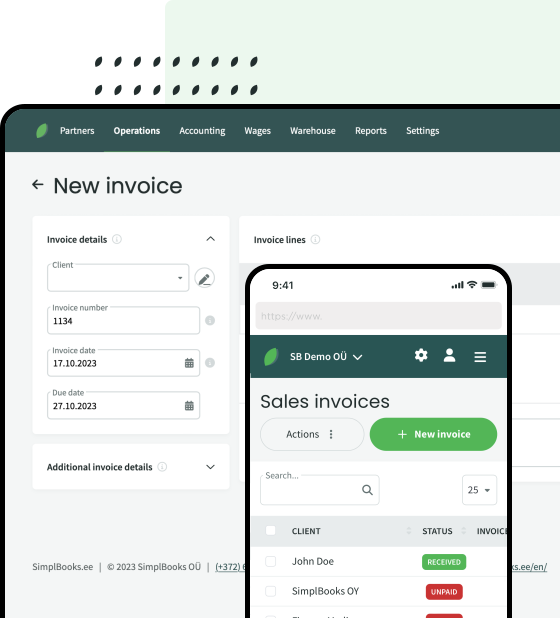
You no longer need to fill in every field separately when creating a sales invoice. Simply tell the AI assistant who the invoice is for, the amount and what you are charging for.
For example, you can write:
“Create a sales invoice for Nordic OÜ for consulting services in the amount of 1,200 euros.”
The AI assistant uses the information you provide to create the sales invoice directly in SimplBooks. If any necessary information is missing, it will ask follow-up questions before creating the document.
You can also create several invoices at once during the same conversation. This allows you to prepare recurring or similar invoices much faster. All you need to do is review and confirm the created documents.
Create and digitise purchase invoices
You can create a purchase invoice in two ways. You can provide the AI assistant with the supplier’s name, details of the purchase, the amount and any other necessary information. The assistant will then create a purchase invoice based on the information provided.
For example:
“Create a purchase invoice from Kontortarbed OÜ. The invoice amount is 248 euros and the purchase is for office supplies.”
If you already have the purchase invoice or receipt as a file, upload it to the chat. The AI assistant will identify the necessary information from the document, such as the supplier, date, amount and VAT, and use it to create a purchase invoice. This also works with ordinary receipts from shops.
If the supplier is not yet in the SimplBooks database, you do not need to add it separately in advance. The AI assistant identifies the supplier’s details from the document, creates a new supplier and saves it in the database.
The original file is attached to the created purchase invoice, so the source document is kept and can easily be found later. Before confirming the invoice, you can review all the information and make corrections if necessary.
Create quotations
In addition to invoices, the AI assistant can now create quotations and accounting entries.
To create a quotation, describe in the chat who the quotation is for, which products or services it should include, and the prices and quantities. The assistant will prepare the document based on the information provided and ask for any missing details if necessary.
For example:
“Create a quotation for Kaseke OÜ for website maintenance services. The monthly price for the first three months is 150 euros, followed by 200 euros per month.”
Then review the information and send the quotation to the customer.
The AI assistant does the initial work, but you remain in control
The purpose of this update is to make everyday accounting faster and easier. The AI assistant helps prepare the necessary documents, but you remain in control.
Before confirming a document, we always recommend checking that the business partner’s details, amounts, dates, VAT and other important information are correct. If anything is missing or needs to be clarified, you can let the assistant know or add the information yourself.
How to use the AI assistant
If the AI assistant has not yet been activated in your SimplBooks account, follow these steps:
- Log in to your SimplBooks account.
- Select “Settings” from the top menu.
- Open “Integrations”.
- Find the AI assistant in the list and click “Activate”.
A chat window will then open where you can ask questions, give the assistant tasks, and upload purchase invoices and receipts.
The AI assistant user guide can be found here.
Try SimplBooks accounting software!
A more advanced and easy accounting software SimplBooks with over 20,000 active users - register an account and you can try 30 days free of charge and risk-free (no financial obligations shall arise). Or try our demo version!

Leave a Reply