


Preparing an annual report in SimplBooks – a new helpful tool

Preparing an annual report is one of those tasks that many micro-business owners tend to leave until the last minute.
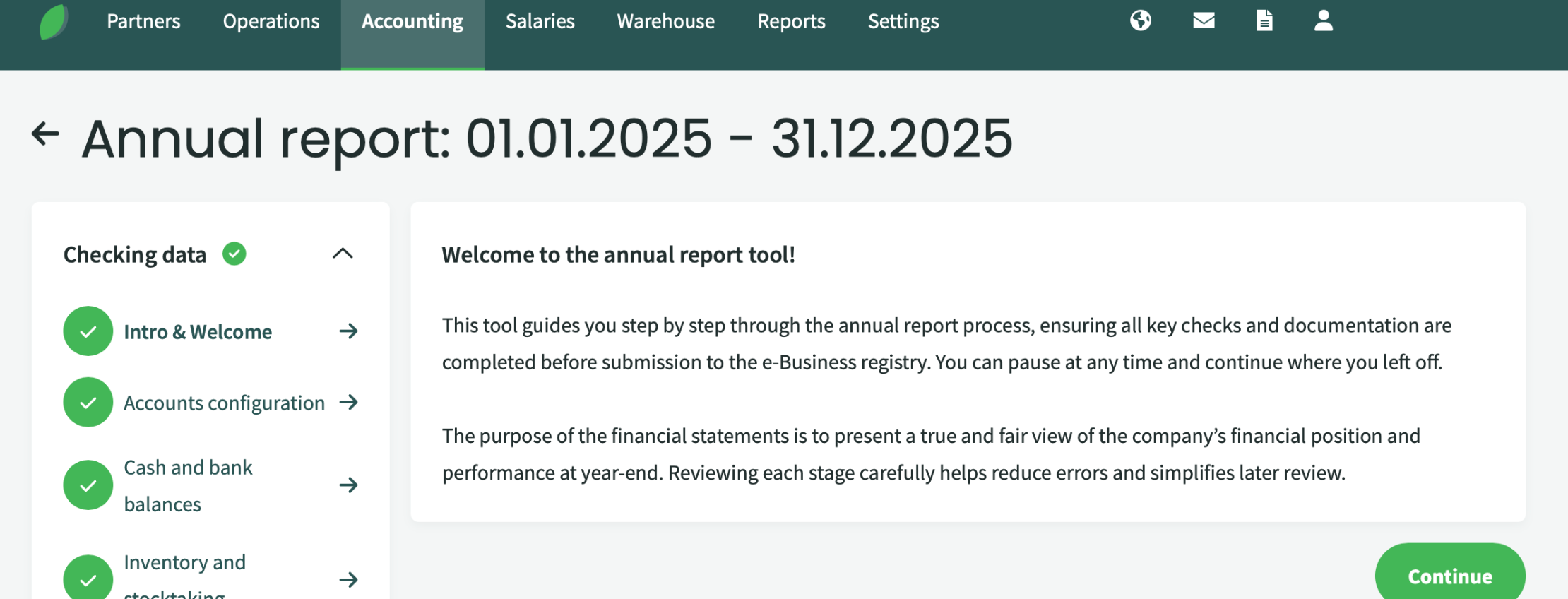
To make the process easier, we have created a new annual report tool in SimplBooks. It guides entrepreneurs step by step through the annual report preparation process. This significantly reduces manual work and helps ensure that all important checks and required documents are completed before submitting the report to the Estonian Business Register.
What can be checked before submitting the annual report?
The annual report tool helps automatically review several common areas where errors or inconsistencies may occur. At each step, the tool displays the necessary information and provides guidance on what should be checked.
For example, you can review:
Cash and bank account balances
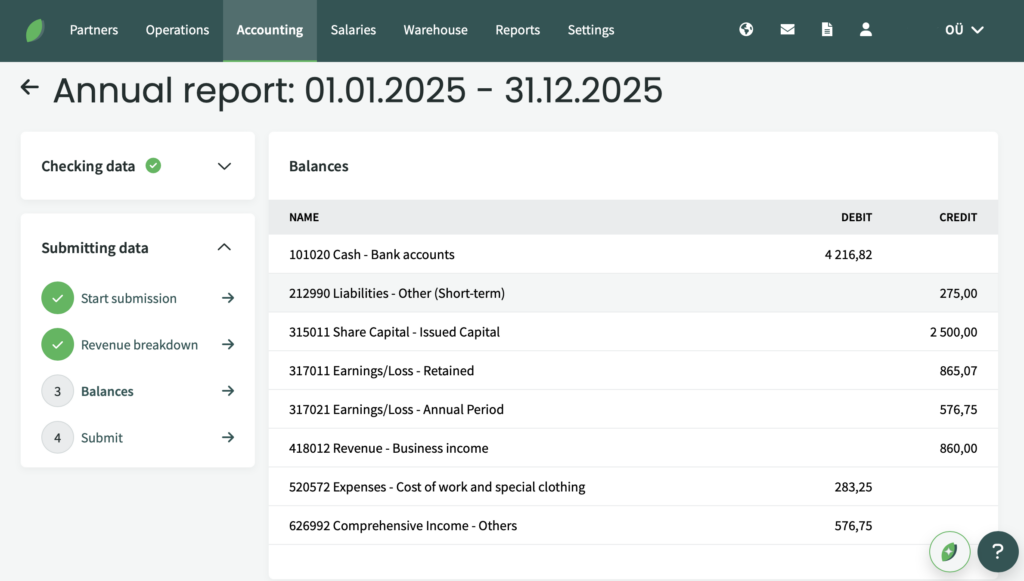
The tool displays bank account balances as of the end of the financial year, allowing you to compare them with your bank statements. This makes it easy to confirm that the accounting records match the actual balances.
Receivables, liabilities and prepayments
Sales ledger and balance sheet data are displayed side by side, making it easy to identify possible differences in customer receivables or prepayments. Similarly, supplier liabilities and prepayments can be reviewed to ensure that the purchase ledger matches the figures shown in the balance sheet.
Taxes and e-MTA balances
The tool also helps review tax-related accounts and check whether the balance of the Estonian Tax and Customs Board’s prepayment account matches the amount recorded in the accounting system.
Company information and EMTAK activity codes
When completing the revenue breakdown section, you can select your company’s activity code directly from the list available in the tool. There is no need to search for codes separately, making the process faster and more convenient.
Submit the annual report directly to the business register
One of the biggest improvements is the ability to send annual report data directly from SimplBooks to the e-Business Register.
After completing all checks, users can click the “Send Data to the e-Business Register” button. The required information is then transferred automatically to the Business Register. This saves time and eliminates the need to manually re-enter much of the information.
If preferred, the tool can also be used only for reviewing and checking data. In that case, the report information must still be entered manually in the Business Register, but the SimplBooks tool helps ensure that everything has been checked and recorded correctly beforehand.
What happens after the data is sent?
Submitting data to the Business Register is not the final step.
After sending the necessary information from SimplBooks to the e-Business Register, you must log in to the Business Register, review the transferred data, and add any additional information if required. After that, the report can be signed and officially submitted.
In other words, SimplBooks automates a large part of the technical work, but the final review and submission still take place in the Business Register.
Who is this tool designed for?
The annual report tool is primarily designed for micro and small businesses that want to simplify the annual report preparation process.
If your accounting records have been properly maintained in SimplBooks throughout the year, the tool helps you complete all necessary checks quickly and efficiently. It reduces the risk of errors, makes the process smoother, and allows you to send data directly to the Business Register, saving both time and manual work.
Read more on similar topics:
Try SimplBooks accounting software!
A more advanced and easy accounting software SimplBooks with over 20,000 active users - register an account and you can try 30 days free of charge and risk-free (no financial obligations shall arise). Or try our demo version!




Leave a Reply