



Microenterprise annual report in Estonia (One comment)

As of January 2025, the micro-enterprise category includes accounting entities that do not exceed at least two of the following criteria on their balance sheet date: total assets of €450,000; annual revenue of €900,000; and an average of 10 employees during the financial year.
Submitting an annual report for a micro-enterprise is simpler compared to small, medium-sized, and large enterprises. For instance, micro-enterprises are exempt from submitting a management report. A micro-enterprise’s annual report primarily consists of an income statement and a balance sheet, with the balance sheet also being in a simplified format. Back in 2016, micro and small enterprises were still required to submit a management report, a cash flow statement, and a statement of changes in equity.
The annual report can be submitted in the Company Registration Portal of the Commercial Register and can be done by a member of the management board of the company or a person authorized by the member of the management board.
Preparation of annual report
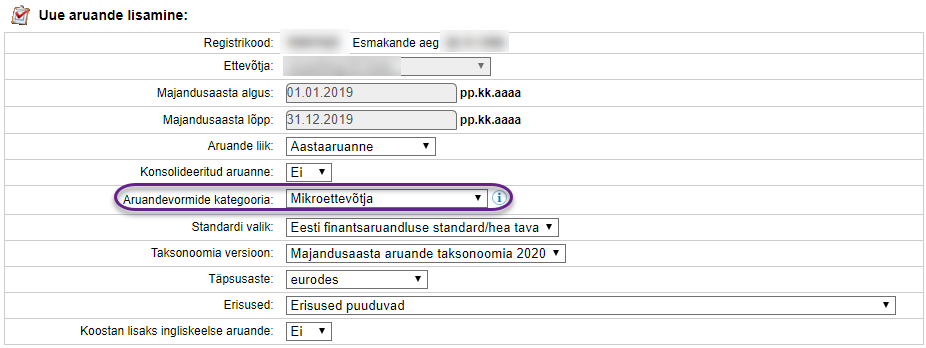
In the Company Registration Portal, select “Annual Reports”> “Add New Report”> “Annual Report”. Make sure the start and end dates of the financial year are correct. If you click on “Next”, you will see a number of different options, from which you only have to fill in the “Report form category” – there you have to specify that you are a microenterprise. If the company has more than one management board member, there is no choice of microenterprise, since a microenterprise is a company with only one management board member.
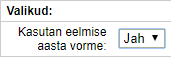
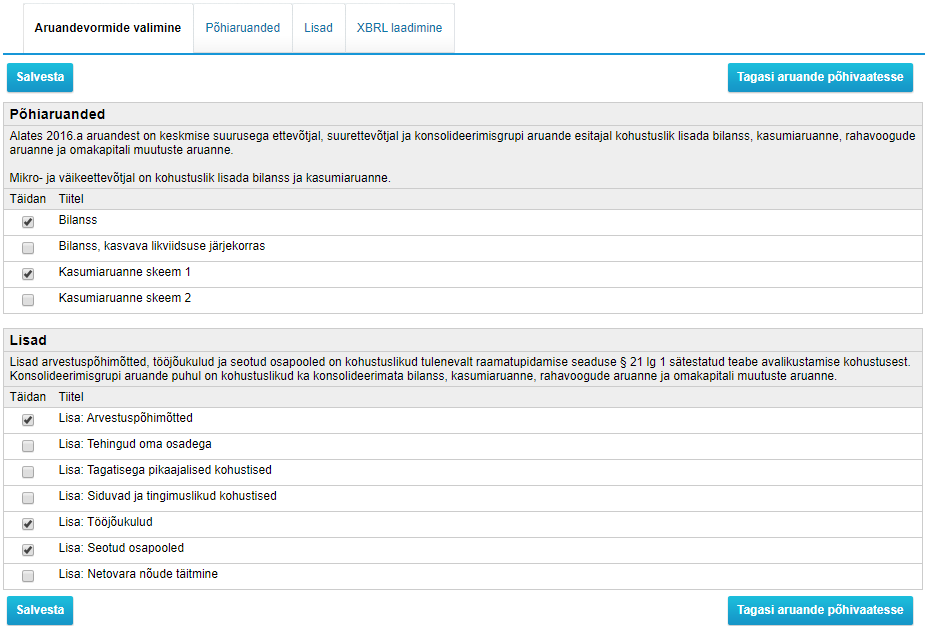
Next, click on “Add New Report”> “Use Last Year’s Forms” (if you have submitted an annual report before). Then, when you select “Selection of Reporting Forms”, the reports you need to submit will appear. Make sure that the balance sheet and income statement are selected under the “Main Reports” and under “Notes” select accounting policies, labor costs and related parties as these three notes are mandatory.

Fill out the simplified balance sheet and income statement by clicking “Enter”. Fill in the notes as well: under the accounting policy, you only have to choose whether or not the company continues to operate. In labor costs, record all labor costs and the average number of employees per financial year. Related parties should record any transactions that the owner or board member has made with other companies (including other companies he or she owns). In all boxes where there are no costs or no claims and liabilities, enter zero “0”.
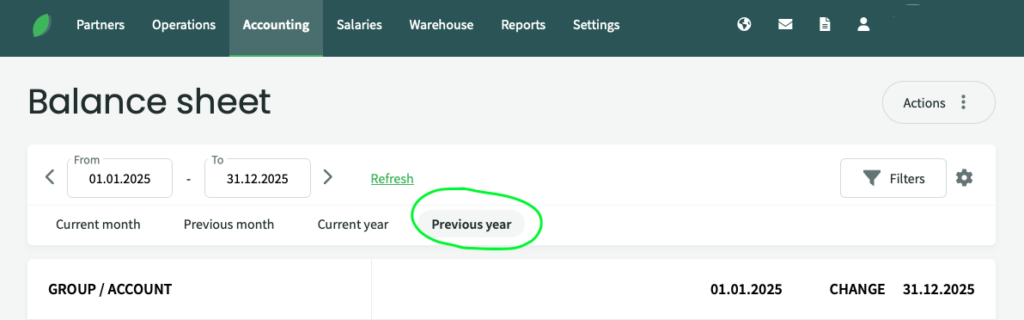
SimplBooks accounting software provides you with easy access to balance sheet and income statement data by selecting “Accounting”> “Balance sheet” from the main menu and selecting “previous year”. The dates then automatically change to the correct dates for the previous financial year.
You will find the profit and loss (income) statement in the same way as the balance sheet: by selecting “Accounting”> “Profit and Loss” from the main menu. You must also select “previous year”. Labor cost data can also be found in the Profit and Loss statement.
Completion of annual report
When all previous main reports and notes have been completed and saved, go “Back to the main view of the report” again. You still need to fill in the sales revenue breakdown – in the main view, click “Enter the breakdown of sales revenue “.
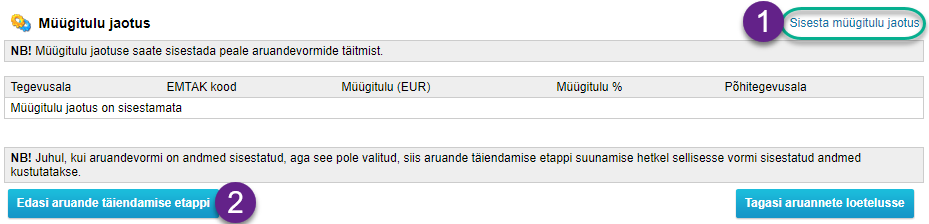
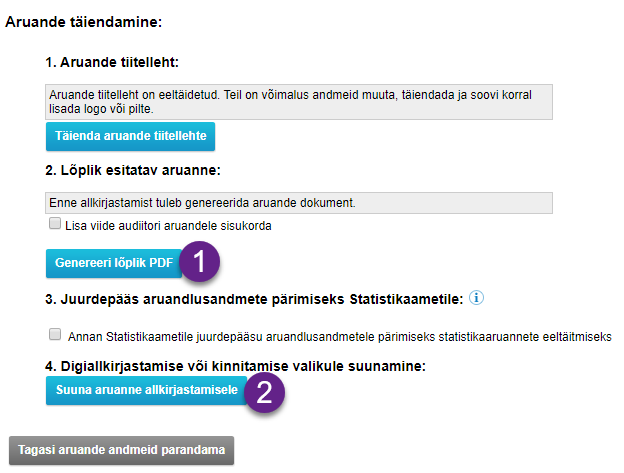
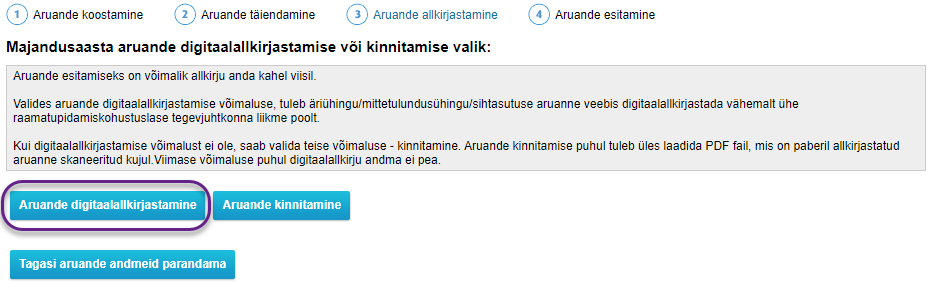
You will now be able to move on to the “Further to the report reviewing” section. In the reviewing section, you can update or change the title page and in this section you can create a PDF: “Generate PDF”, but first preview and check the compliance of the data to make sure it is correct. Once the data is verified and the final PDF is generated, you can proceed to sign the report. To sign, you need to choose between signing with a digital signature or signing on paper and scanning and uploading.

If you need help with annual report, feel free to write to us in the comments!
Read this blog post as well – 5 things you must know about annual report as an entrepreneur



Comment (1)
[…] Microenterprise annual report in Estonia […]