


5 simple ways to keep your accounting data secure

For many entrepreneurs, accounting software is where all company financial information is stored. It contains invoices, customer data, bank transactions, reports, and often employee-related information as well. That is why it is important to focus not only on your company’s finances but also on the security of this data.
Although cyberattacks are often associated with large companies, small businesses are also attractive targets for scammers. In many cases, this is because smaller organizations do not have dedicated IT specialists or established security policies.
At the same time, security does not depend on software alone. Even the most secure system cannot prevent situations where a password falls into the wrong hands or a payment is made based on a fraudulent email. This is why user habits and attention to detail also play an important role.
Here are some simple but important steps that can help keep your company’s data and accounting secure.
1. Use strong and unique passwords
A password is still one of the most important layers of security.
Unfortunately, many people still use passwords such as their company name, birth date, or simple combinations like “Password123”. These passwords can be easily cracked by automated attacks.
A secure password should:
- be at least 12 characters long;
- contain uppercase and lowercase letters, numbers, and symbols;
- be unique for every service.
If the same password is used across multiple platforms and one of them is compromised, scammers may try the same password on other services.
Using a password manager helps you create and securely store strong passwords without having to remember them all. Popular password managers include Bitwarden, 1Password, and LastPass. Many devices also offer built-in solutions. Apple users can use iCloud Keychain (Apple Passwords), while Android users can use Google Password Manager.
2. Use separate user accounts and review access rights regularly
In smaller businesses, it is sometimes common to use one shared account for convenience. While this may seem like an easy solution, it makes it difficult to track who made changes in the system and when. Shared accounts can also create security risks, especially when multiple employees or an external accountant have access.
When several people use the same account:
- there is no clear overview of who performed which actions;
- managing access becomes more complicated;
- when an employee leaves, the password for the entire account must be changed.
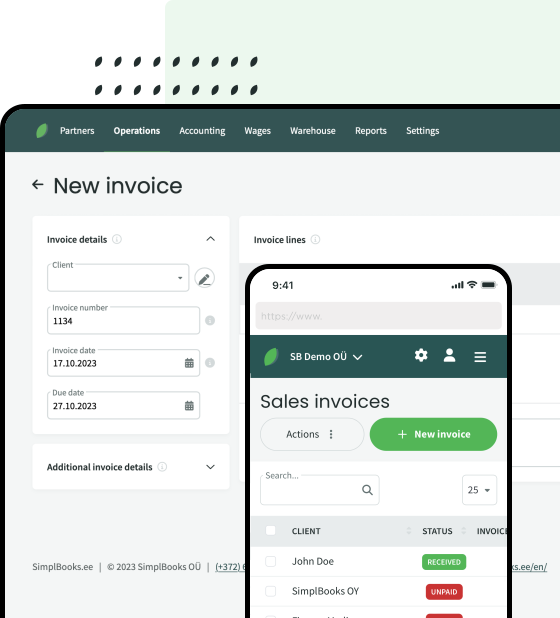
SimplBooks allows you to create separate user accounts and assign different permissions to each user. This ensures that people only have access to the information they need for their work.
It is equally important to review user permissions from time to time. Businesses change constantly – employees leave, new team members join, and cooperation partners change. Therefore, it is a good idea to check at least a few times a year who has access to company data and what permissions they have.
3. Keep your devices up to date
Updates for computers, phones, and web browsers do more than just add new features. They often fix security vulnerabilities that cybercriminals actively try to exploit.
For this reason, you should:
- install operating system updates as soon as possible;
- use an up-to-date web browser;
- keep antivirus software updated;
- avoid using outdated software.
Many successful cyberattacks take advantage of known security weaknesses that have not been fixed. Regular updates are therefore one of the easiest ways to protect your data.
One of the benefits of cloud-based accounting software is that users do not need to worry about software updates themselves. For example, SimplBooks is updated automatically several times a month to ensure reliability, security, and access to new features. In most cases, these updates happen without disrupting everyday work.
4. Use a secure internet connection
Today, people work from almost anywhere – home offices, cafés, hotels, and even airports. While public Wi-Fi networks are convenient, they also come with certain security risks. It may be easier for attackers to intercept data or monitor user activity on such networks.
If you regularly work outside the office, it is often safer to use a mobile internet connection or a VPN service that helps protect your internet traffic. It is also wise to avoid entering sensitive information on unsecured networks and always log out of services when you finish working.
A secure internet connection may seem like a small detail, but it can significantly reduce the risk of company data ending up in the wrong hands.
5. Be Careful with emails
Fraudulent emails have become increasingly convincing over the years. In the past, suspicious emails were often easy to spot because of poor language or unusual design. Today, scam emails can look almost identical to legitimate messages. Scammers often pretend to be banks, tax authorities, software providers, or even business partners.
Sometimes a single careless click or payment to the wrong account can cause significant damage to a business. That is why you should be cautious whenever an email asks you to act urgently, change payment details, or provide usernames and passwords.
If something feels even slightly suspicious, check the sender’s email address, verify where links lead, and confirm the information through another communication channel if necessary. This is especially important when money, company data, or system access is involved.
Security is a shared responsibility
Cloud-based accounting software providers do a lot to keep data secure and services reliable. However, users also play an important role.
Strong passwords, caution when dealing with emails, and good security habits help ensure that your company’s data remains protected and that your accounting processes run smoothly.
Read also: What ensures the reliability and security of accounting software?


Leave a Reply